¶ Introduction
Banana Pi BPI-M2C is Banana Pi’s new generation single board computer, equipped with Unisoc uis7885 processor. It has 4GB LPDDR4 memory and 128GB EMMC storage onboard, and supports 4 USB 2.0 interfaces, 1 Gigabit network port, headphone interface, speaker interface, onboard 5G and WCN functions.
| More Infomation: Banana Pi BPI-M2C |
¶ Development
¶ Prepare
-
Prepare 8G/above TF card, USB-Serial cable, Ubuntu System.
-
5V3A type-c adapter power supply
-
Download tool:
-
Windows: ResearchDownload
-
Linux: Yunji
-
Or an open-source flashing tool: balenaEtcher
-
-
Download the image to be burned
-
Using your USB-Serial cable(3.3V TTL,Baud=921600) Connect to debug console on BPI-M2C G=GND; RX=BPI-M2C input; TX=BPI-M2C output0
¶ Install Image with SD-1
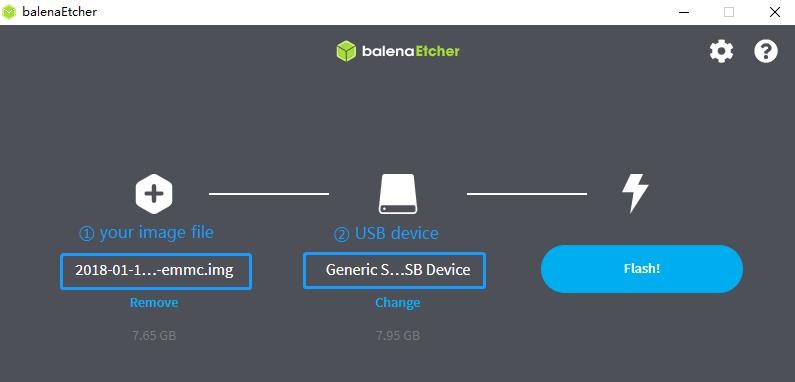
Use the balenaEtcher tool to flash the SD image.
-
Download the SD image. (Formats such as .zip, .xz, .gz, and .bz2 can be selected directly; however, compound archives like .tar.gz or .tar.xz must be extracted first.)
-
Format the TF card using the SDFormatter tool.
-
Open balenaEtcher, select the image file you wish to flash, choose your TF card, and click to begin the flashing process. (Be careful to ensure you have selected the correct TF card.)
¶ Install Image with SD-2
Use the ResearchDownload tool to flash the PAC package.
-
Download the SD image. (If it is a compressed archive, please extract it beforehand.)
-
Set the SD DIP switch on the back of the development board to the ON position.
-
Open the tool and click "Load packet," then select the PAC package you wish to flash.
-
Click "Settings," then click "Options," and check the boxes for "Repartition," "Keep Charge," and "Power Off."
¶ Install Image with eMMC
-
xxx
-
xxx
-
xxx
-
xxx