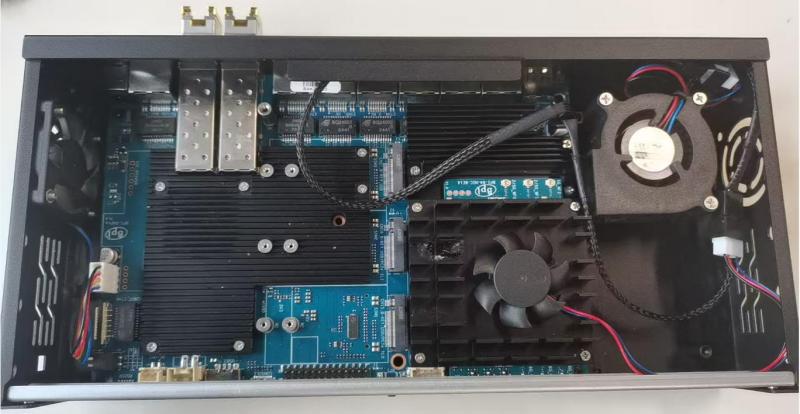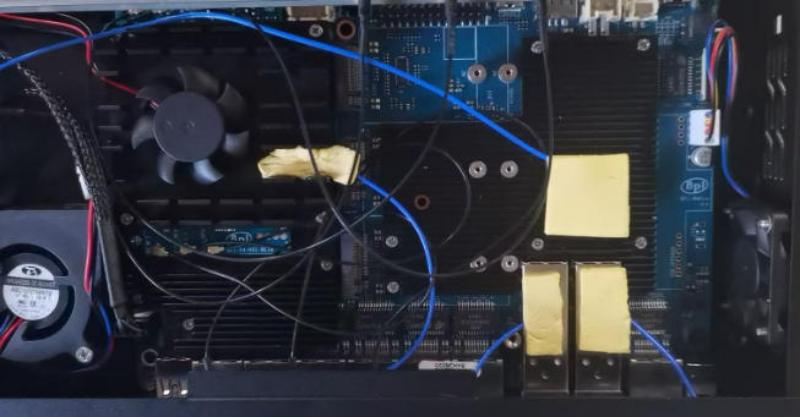
¶ Basic test
| More Infomation: Banana Pi BPI-R4 Pro |
¶ BPI-R4Pro Power test
| Due to the 1W fluctuation during usage, the following is the approximate instantaneous power. |
¶ No-load power
| BPI-R4Pro Power Usage Test | |||
|---|---|---|---|
Peripheral device status |
Equipment in unused state Voltage(V) |
Electric current(A) |
Power consumption(W) |
Only the board |
20.26 |
0.45 |
9.18 |
BE14 WiFi |
20.20 |
0.78 |
15.90 |
One EM05 on M.2KEY B |
20.26 |
0.46 |
9.33 |
Two EM05 on M.2KEY B |
20.25 |
0.49 |
9.97 |
Three EM05 on M.2KEY B |
20.25 |
0.52 |
10.57 |
Two SFP network ports |
20.23 |
0.61 |
12.53 |
BE14 WiFi+Two SFP network ports |
20.18 |
0.94 |
19.07 |
One NVME SSD |
20.26 |
0.47 |
9.64 |
Two NVME SSD |
20.25 |
0.54 |
10.95 |
¶ Load power
| BPI-R4Pro Power Usage Test | |||
|---|---|---|---|
Equipment usage status |
Voltage(V) |
Electric current(A) |
Power consumption(W) |
Only the board (stress-ng --cpu 4) |
20.23 |
0.54 |
11.03 |
BE14 WiFi |
20.21 |
0.81 |
16.39 |
Two SFP network ports |
20.21 |
0.63 |
13.19 |
BE14 WiFi+Two SFP network ports |
20.19 |
0.93 |
19.52 |
One NVME SSD |
20.25 |
0.55 |
11.31 |
Two NVME SSD |
20.20 |
0.73 |
14.93 |
Two FAN (One 4010 FAN+One 5020 FAN) |
20.23 |
0.52 |
10.65 |
Two FAN (Two 4010 FAN) |
20.24 |
0.48 |
9.74 |
BE14 WiFi+Two SFP network ports+Two FAN(One 4010 FAN+One 5020 FAN) |
20.16 |
1.01 |
20.50 |
BE14 WiFi+Two SFP network ports+Two FAN(Two 4010 FAN) |
20.18 |
0.97 |
19.70 |
¶ BPI-R4Pro Heat dissipation test
| The experimental data provided is for reference only,actual application should be determined based on specific circumstances. |
| "Idle Load" indicates low network traffic; the function is simply started but not running. "Full Load" simulates real-world usage, transmitting data at the iperf rate on each channel. |
These points were tested using a temperature probe.
¶ Temperature data
| BPI-R4Pro Temperature Test | ||||
|---|---|---|---|---|
Equipment usage status |
CPU heatsink temperature(℃) |
BE14 heatsink temperature(℃) |
SFP WAN module temperature(℃) |
SFP LAN module temperature(℃) |
without BE14 fan (with One 4010 FAN+One 5020 FAN) + Idle load |
35.44 |
32.2 |
32.24 |
31.23 |
without BE14 fan (with One 4010 FAN+One 5020 FAN) + Full load |
40.83 |
33.64 |
43.59 |
40.7 |
without BE14 fan (with Two 4010 FAN) + Idle load |
41.45 |
32.97 |
38.21 |
37.42 |
without BE14 fan (with Two 4010 FAN) + Full load |
49.58 |
34.09 |
57.1 |
55.42 |
with BE14 fan (with One 4010 FAN+One 5020 FAN) + Idle load |
34.63 |
28.91 |
32.01 |
30.67 |
with BE14 fan (with One 4010 FAN+One 5020 FAN) + Full load |
38.06 |
28.95 |
42.23 |
38.39 |
with BE14 fan (with Two 4010 FAN) + Idle load |
37.59 |
29.67 |
36.36 |
35.83 |
with BE14 fan (with Two 4010 FAN) + Full load |
45.24 |
31.09 |
54.7 |
52.97 |
¶ Installation Details
| The left side of the R4Pro casing must be equipped with a 4010 fan fixed in place. |
-
Make sure you have all the necessary accessories and screws for installing R4Pro. You can consult through the corresponding sales platform. (The 4PIN fan cable marked 1/2 requires you to purchase it yourself. The R4Pro heat sink pad has already been installed on the board.)
There are four installation methods here:
-
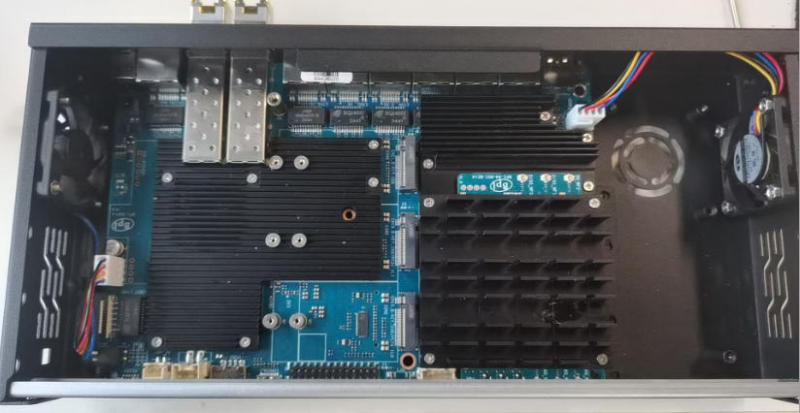
4010 fan + BE14 fanless heat sink(do 11+13,not do 10+14)
-
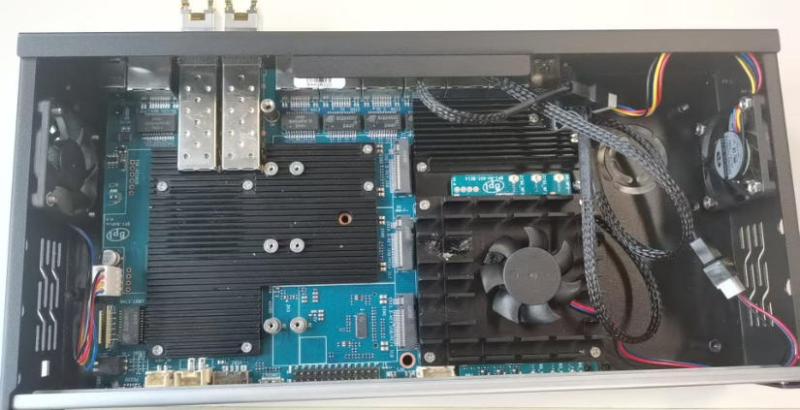
4010 fan + BE14 fan heat sink(do 11+14,not do 10+13)
-
5020 fan + BE14 fanless heat sink(do 10+13,not do 11+14)
-
5020 fan + BE14 fan heat sink (do 10+14,not do 11+13)+
-
-
First, take out a board of the R4Pro (some of these boards have already had the heat sink installed when they were taken out of the packaging box)
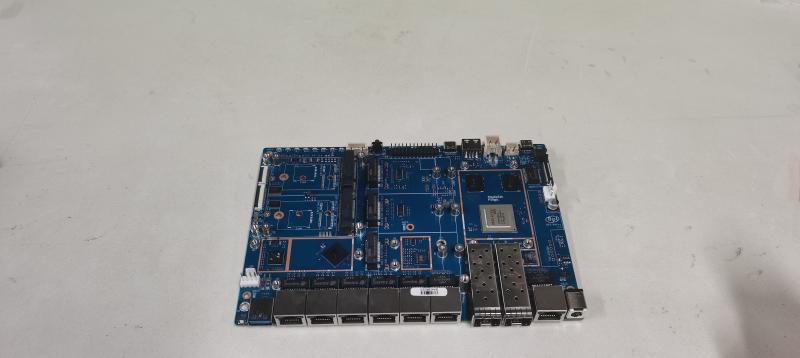
-
Attach the heat dissipation pads according to the size.
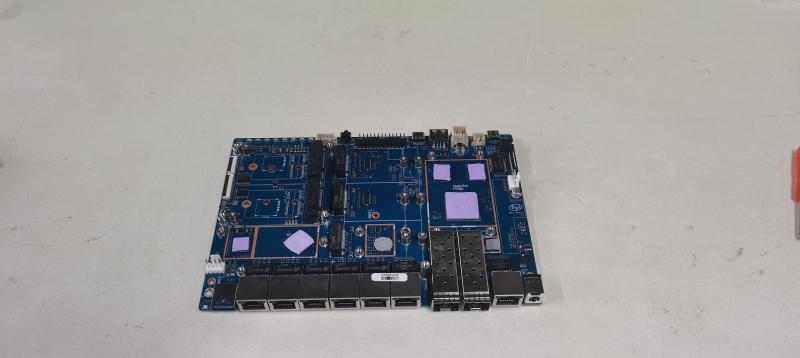
-
Install the heat sink
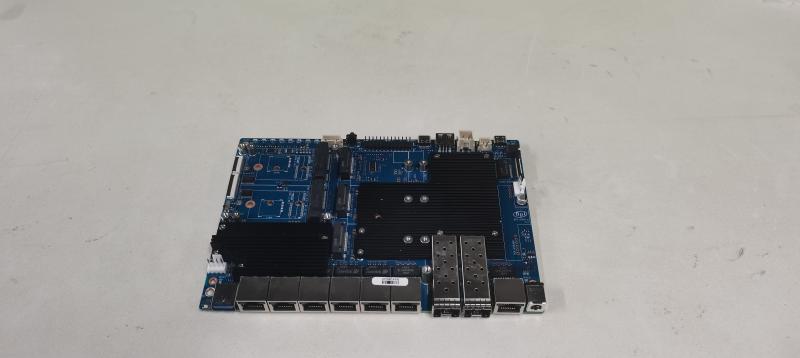
-
Take out your R4Pro case.
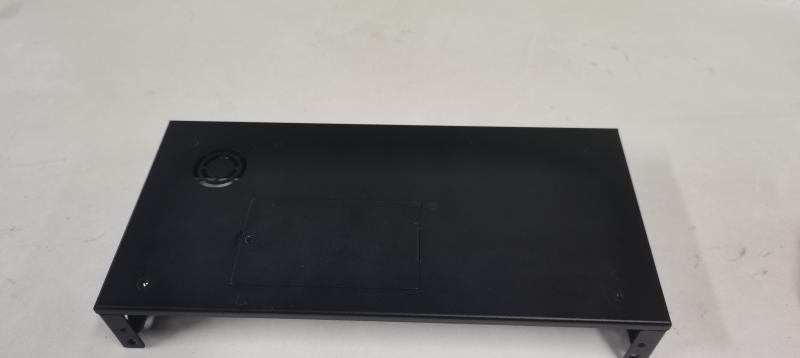
-
Install four foot pads below the R4Pro.
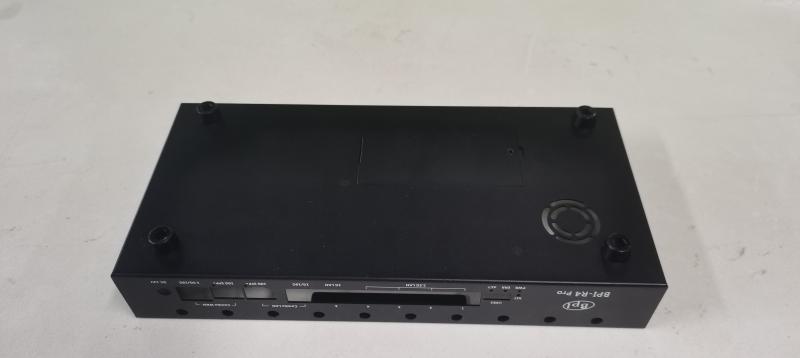
-
Prepare to install the interior of the casing.
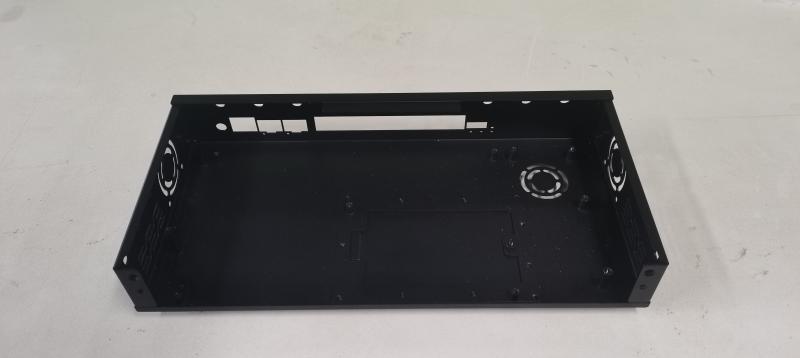
-
First, install the fan on the left side.
make sure the airflow is directed towards the left, because if you have the 5020 fan, the cooling duct is on the left side. 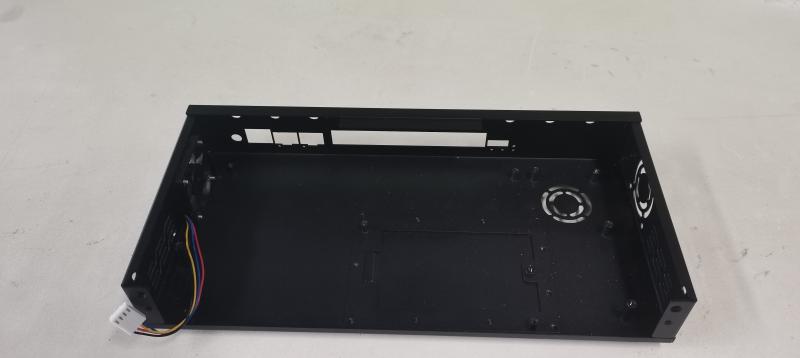
-
Fix R4Pro with 4 fixed screws.
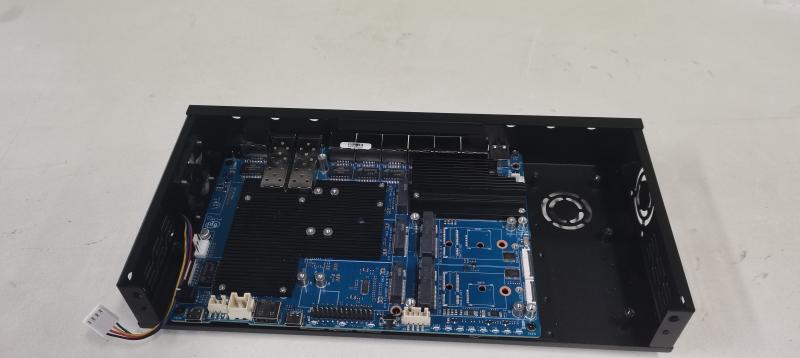
-
Install the 5020 fan using 3 long screws.
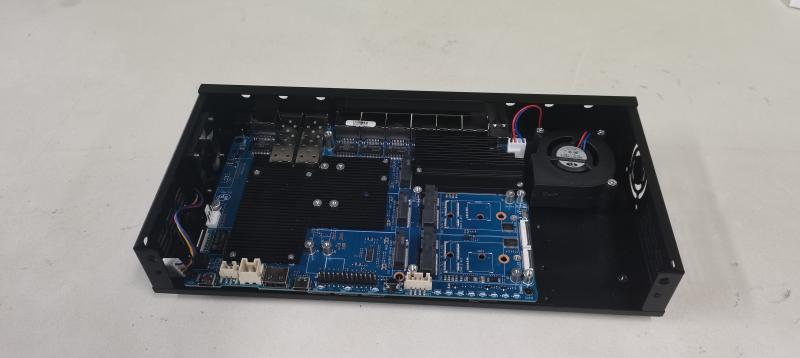
-
Install the 4010 fan.

-
Install four copper columns into the corresponding holes of the BE14 heat sink. Secure the BE14 with M2 screws and attach the heat pad.
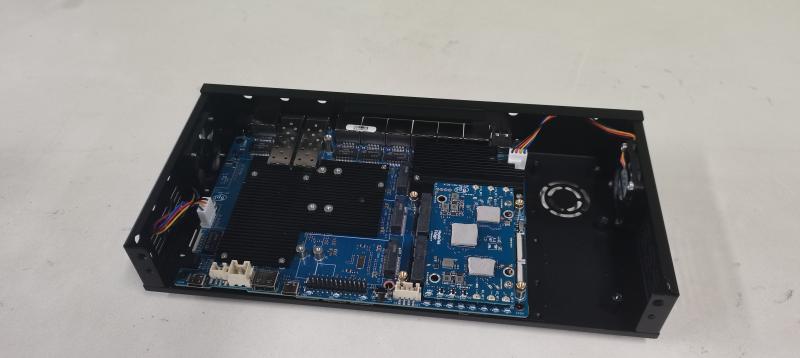
-
Install the BE14 fanless heat sink.
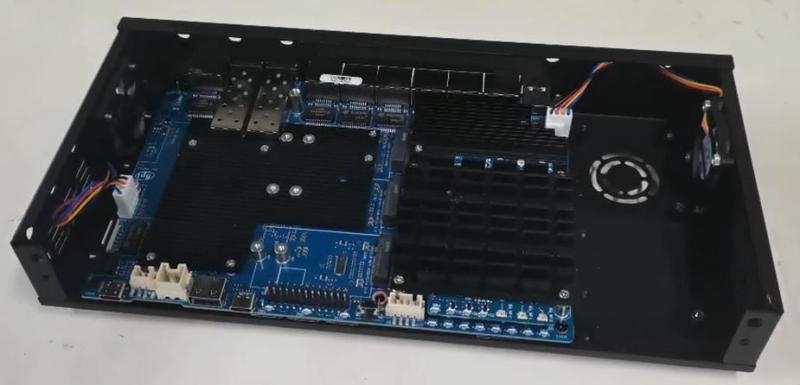
-
Install the BE14 with the fan heat sink.
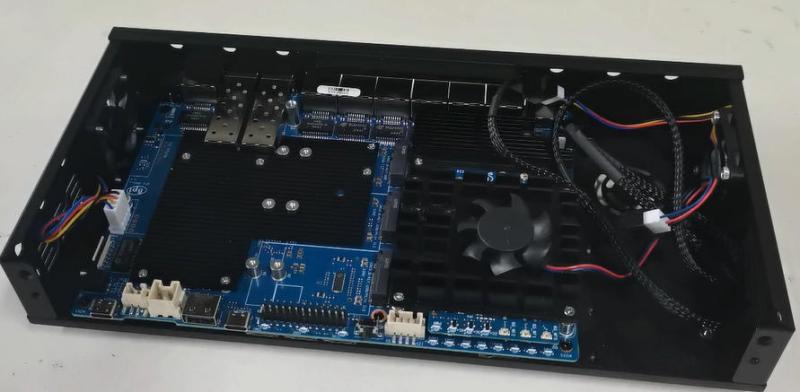
-
Install the corresponding antenna.
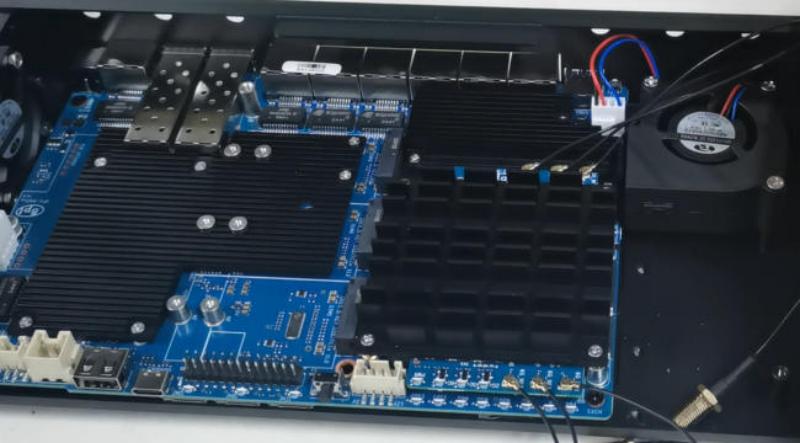
-
Install the antenna fixing slot.

-
Fixed antenna.
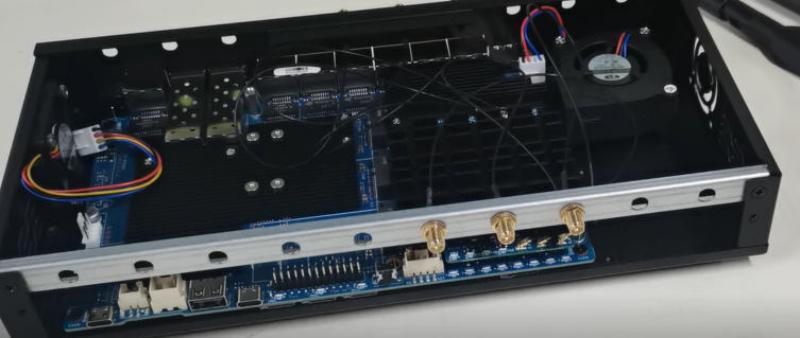
-
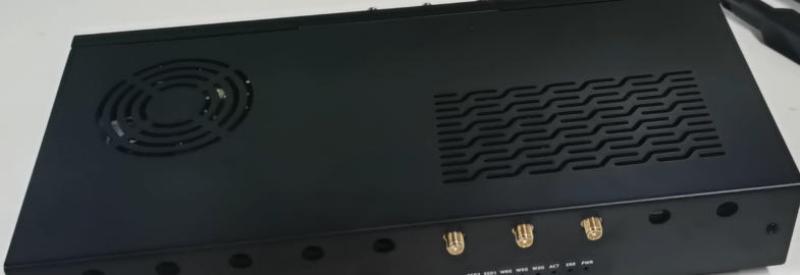
Install the outer casing.(with two screws on the front side)
-
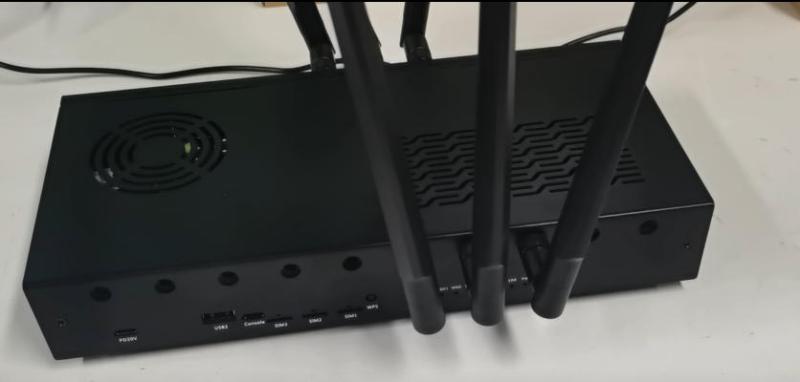
Install the antenna glue stick and the installation of the housing is complete.
¶ 4010 fan + BE14 fanless heat sink
¶ 4010 fan + BE14 fan heat sink
¶ 5020 fan + BE14 fanless heat sink
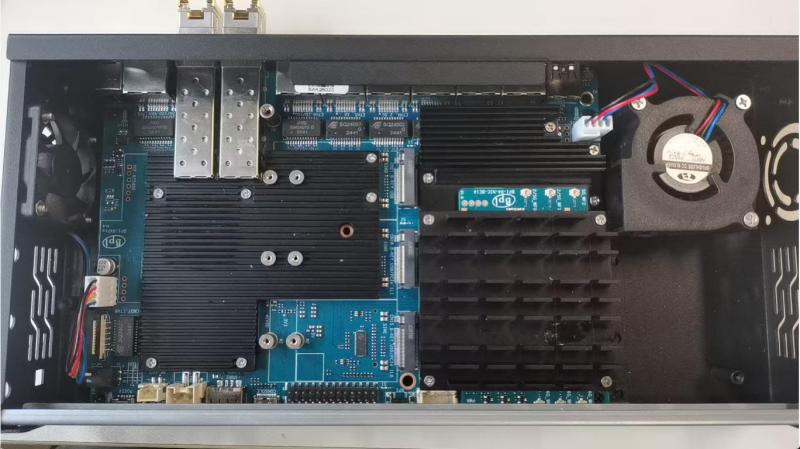
¶ 5020 fan + BE14 fan heat sink