¶ Introduction
| More Infomation:Banana Pi WiFi6 Mini |
¶ Prepare
-
Ethernet cable, BPI-WiFi6 Mini, 12V power supply
¶ Web page upgrade
-
First, download the image you want to upgrade.
-
Power on the BPI-WiFi6 Mini and connect it to the computer using a network cable.
-
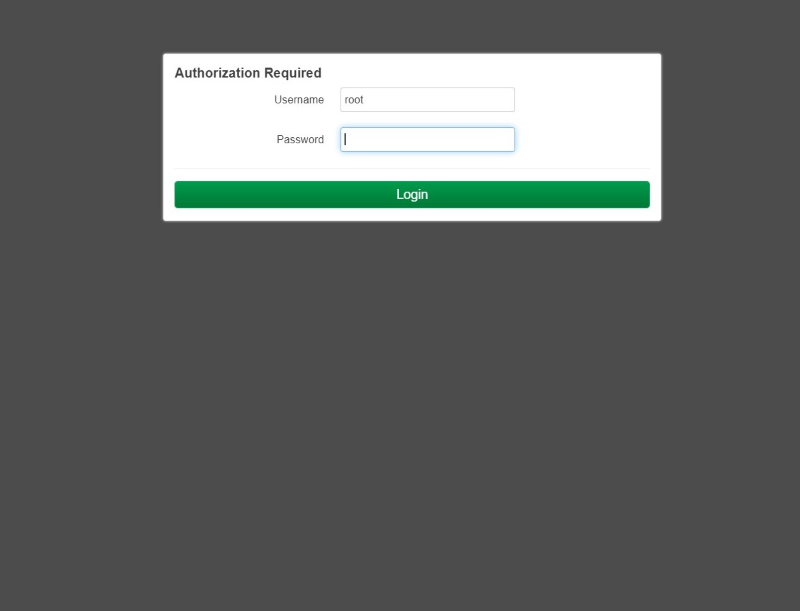
Enter the webpage (default IP is 192.168.1.1,the user is root and does not have a password.)
-
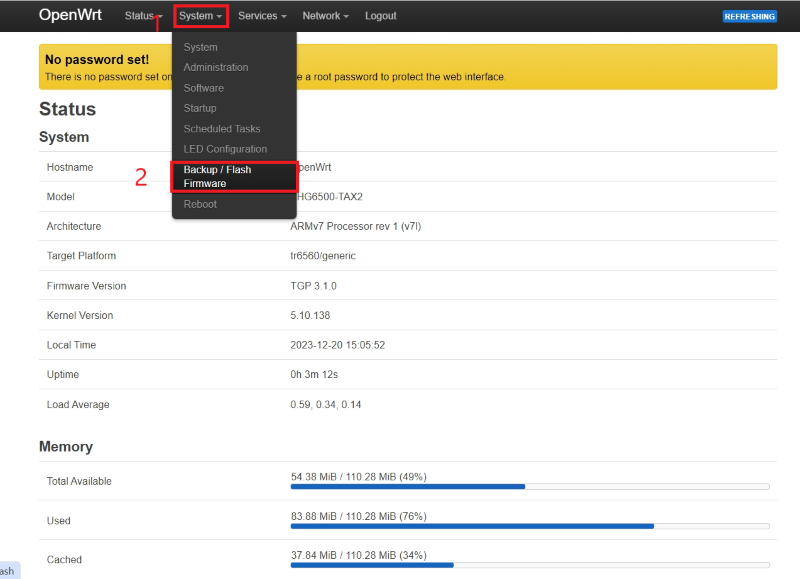
Select “System", then select "Backup/Flash Firmware".
-
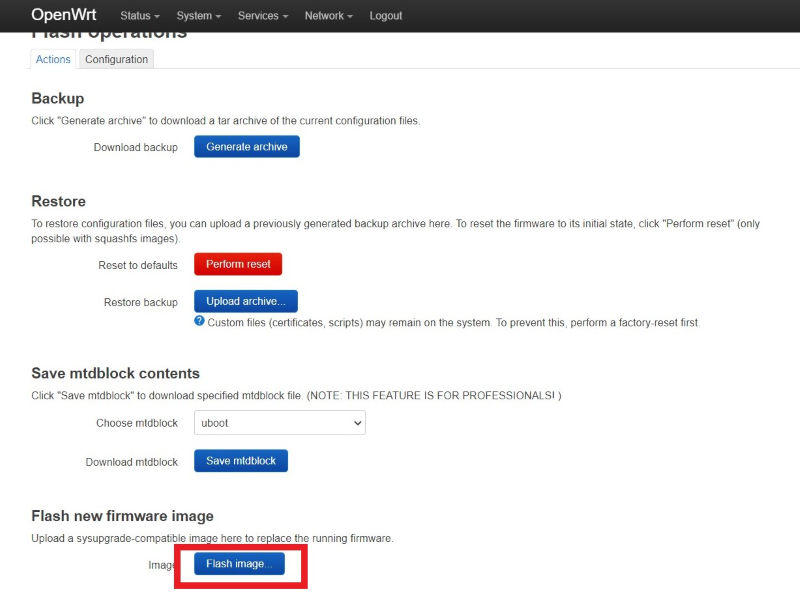
Select "Flash image…".
-
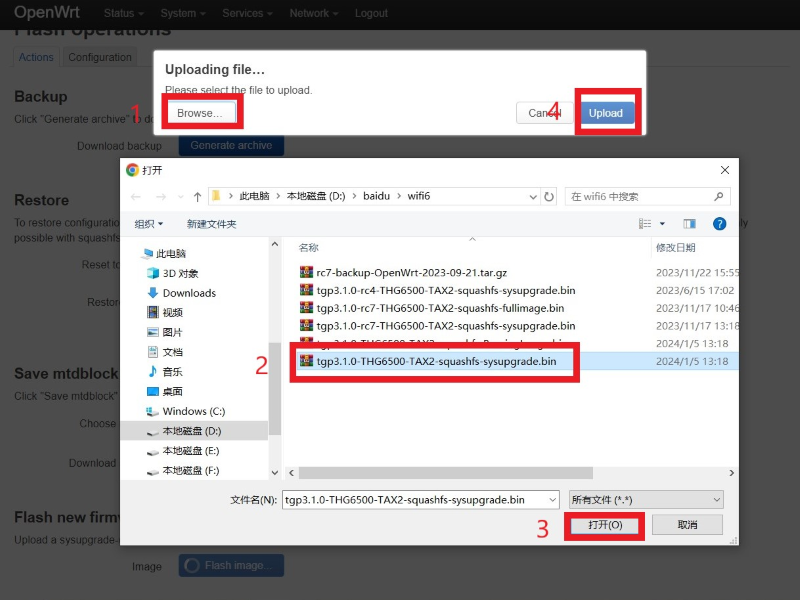
Select the image you want to upgrade, and then click "Upload".
-
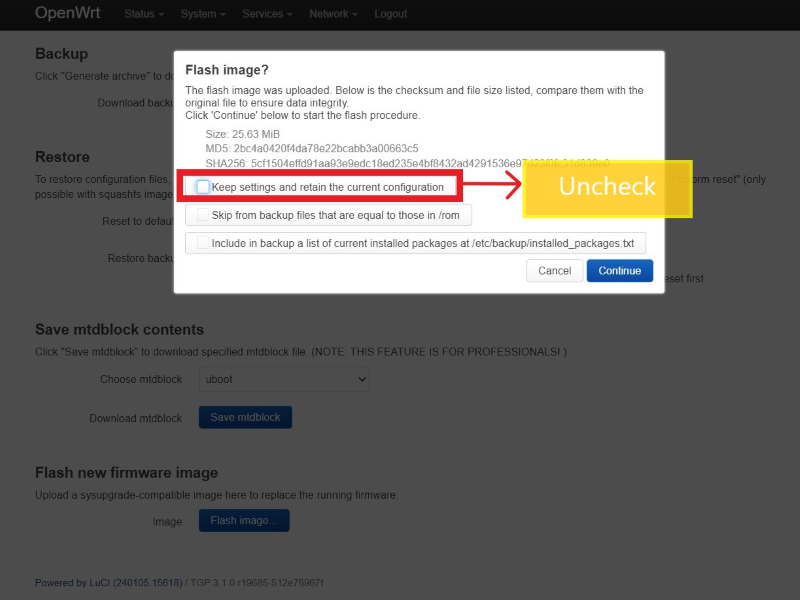
Uncheck "Keep settings and retain the current configuration".Select "Continue".
-
Wait a few minutes, after the upgrade is completed, it will automatically restart and the web page will automatically refresh.
¶ Development
¶ WiFi
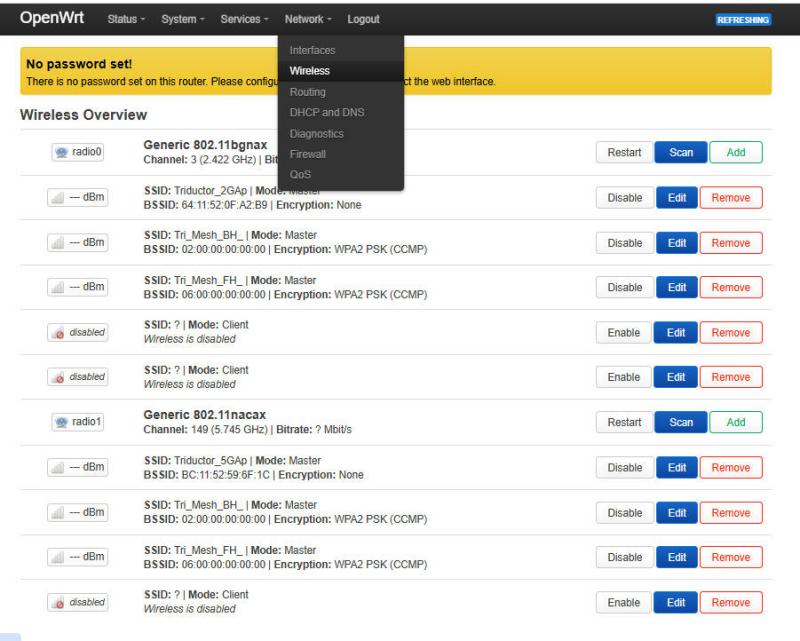
You can check the WiFi startup status in the Network’s wireless section. Among them, Triductor_2GAp and Triductor_5GAp are the WiFi of BPI-WiFi6. You can also make the configuration in the "Edit" section.
¶ USB
You can view USB devices by executing the lsusb command.
root@OpenWrt:/# lsusb
Bus 001 Device 002: ID 05e3:0751 USB Storage USB Storage
Bus 002 Device 001: ID 1d6b:0003 Linux 5.10.138 xhci-hcd xHCI Host Controller
Bus 001 Device 001: ID 1d6b:0002 Linux 5.10.138 xhci-hcd xHCI Host ControllerFurthermore, the USB interface is already configured in the source code, so it can be used without any modifications.